

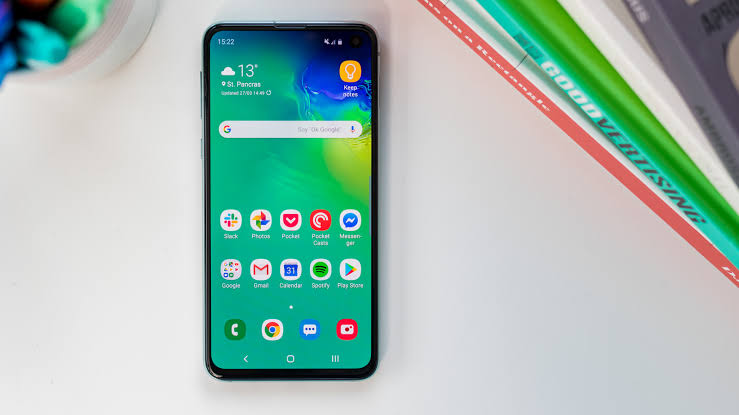
Building a simple Android utility app feels straightforward. You solve one problem cleanly, publish to Google Play, and wait for revenue. The reality hits when downloads stall or earnings barely cover a coffee. If you want to monetize Android apps that do one thing well, you need a plan that goes beyond “add ads and hope.”
Why Simple Utility Apps Make Sense for Indie Developers
Utility apps solve repetitive, specific problems. A teleprompter for video creators. A renewal manager for subscriptions and domain expirations. A batch file renamer. These tools don’t need social features, complex backends, or constant content updates. They need to work reliably every time someone opens them.
The appeal for solo developers is clear: lower maintenance burden, clearer value proposition, and easier App Store Optimization (ASO). Users search for “teleprompter app” or “subscription tracker” with high intent. They’re not browsing; they’re hunting for a solution.
But simplicity creates a monetization trap. You can’t hide behind “freemium with premium features” when your whole app is two screens. You have to choose a model that fits the use case.
Choosing Your Monetization Model
AdMob: Volume Play
AdMob works when you have high daily active users who open the app frequently. A teleprompter gets opened for every recording session. A renewal manager gets opened maybe once a month. The first makes ad sense. The second doesn’t.
If you go AdMob, place banners where they don’t interfere with the core task. Interstitials between sessions, not during. Rewarded ads can unlock a temporary premium feature (export without watermark, extra themes) but test carefully,utility users hate friction.
One-Time Paid Upgrade (Freemium)
This remains the cleanest model for many utilities. Free version does the core job. Paid unlock removes ads, adds export options, or enables cloud sync. The key: the free version must be genuinely useful, not crippled.
Tip you can use today: Ship the free version with zero ads and a single “Upgrade” button in settings. No nag screens. No timers. Let the app’s quality sell the upgrade. You’ll build trust and reviews faster.
Subscription: Only for Ongoing Value
Subscriptions make sense when you deliver continuous value: cloud sync, regular database updates, AI-powered features with API costs. A local-only reminder app doesn’t justify recurring billing. Users will revolt.
If you choose subscription, offer a fair free trial (7-14 days) and a “lifetime” one-time purchase alternative. Many utility users prefer paying once. Give them that option.
Building for Retention, Not Just Downloads
Download spikes from Product Hunt or Reddit fade fast. Sustainable revenue comes from users who keep the app installed and keep using it.
First-Run Experience
The first 30 seconds determine if someone keeps your app. Skip the tutorial overlay. Use sensible defaults. Let them accomplish the core task in one flow. A teleprompter should let them paste text and hit record immediately.
ASO That Matches Search Intent
Your title and short description must contain the exact phrase people search. “Teleprompter for Video Recording” beats “ProPrompt, Speak Confidently.” Your screenshots should show the actual UI doing the job, not abstract graphics.
Tip you can use today: Search your target keyword on Google Play. Note the top 5 competitors’ titles, screenshot styles, and review complaints. Then build something that addresses those complaints visibly in your own screenshots.

System Update Maintenance
Android changes yearly. Scoped storage, notification permissions, background execution limits,each update can break a simple utility. Budget 2-3 days per year per app for compatibility testing and targeted fixes. If you have five apps, that’s two weeks annually. Factor this into your revenue expectations.
Launch Strategy That Actually Works
Most indie launches follow the same quiet pattern: publish, tweet once, wait. Here’s a better sequence.
Pre-Launch (2 Weeks Before)
- Create a simple landing page with email capture (Carrd + ConvertKit works fine)
- Record a 60-second demo video showing the core workflow
- Reach out to 10-15 micro-influencers in your niche (10k-50k followers) with a personal note and promo codes
Launch Week
- Submit to Google Play at least 5 days before announced launch (review delays happen)
- Post the demo video on Reddit communities related to the problem (r/videoediting, r/freelance, etc.) with a transparent “I built this” story
- Share the landing page link, not just the Play Store link,capture emails for v1. updates
Post-Launch (First 30 Days)
- Respond to every review, especially negative ones. Fix reported crashes within 24 hours.
- Push one meaningful update (bug fix + one requested feature) to show momentum
- Ask satisfied users (4-5 star in-app prompt) to leave a review
A Mini Example: The Teleprompter Path
Consider a developer building a teleprompter app. They launch free with AdMob banner. Month one: 2,000 installs, $12 ad revenue. They add a $4. one-time upgrade removing ads and adding script import/export. Month two: 1,800 new installs, 45 upgrades = $225. Month three: organic growth kicks in from “teleprompter no ads” searches. Revenue stabilizes around $400/month with minimal ongoing work.
Same app, subscription model at $2.99/month. Month one: 12 subscribers. Month two: 8 more, but 5 churn. Revenue grows slower, lifetime value higher only if retention holds. For a tool used intermittently, the one-time model often wins.
Common Pitfalls to Avoid
- Overbuilding before launch. Ship the core workflow. Add cloud sync, AI rewriting, team collaboration later,if users ask.
- Ignoring Android version fragmentation. Test on API 24+ at minimum. Use Firebase Test Lab if you lack physical devices.
- Copying competitor pricing without understanding their costs. That $19.99/year subscription might fund their backend API. Your local-only app has near-zero marginal cost.
- Treating “passive” as “zero work.” Support emails, OS updates, review management, keyword tracking,these are real hours.
Next Steps for Your Utility App
Pick one problem you personally understand. Build the simplest solution that solves it completely. Choose a monetization model that respects the user’s usage pattern. Launch with a demo video and a landing page. Then iterate based on actual feedback, not imagined feature requests.
The best utility apps feel inevitable,like they should have existed years ago. That’s the standard to aim for.







Discussion