

Why your WordPress site needs a WordPress AI content calendar
You’ve been there: Sunday evening, coffee in hand, staring at a blank WordPress editor wondering what to publish next week. The pressure to keep your blog or business page fresh can feel overwhelming, especially when you’re already juggling client work, social media, and the million other tasks that come with running a website. A traditional content calendar helps, but it still leaves you with the heavy lifting,brainstorming topics, drafting outlines, and scheduling posts. What if you could hand most of that repetitive work to a system that works while you sleep?
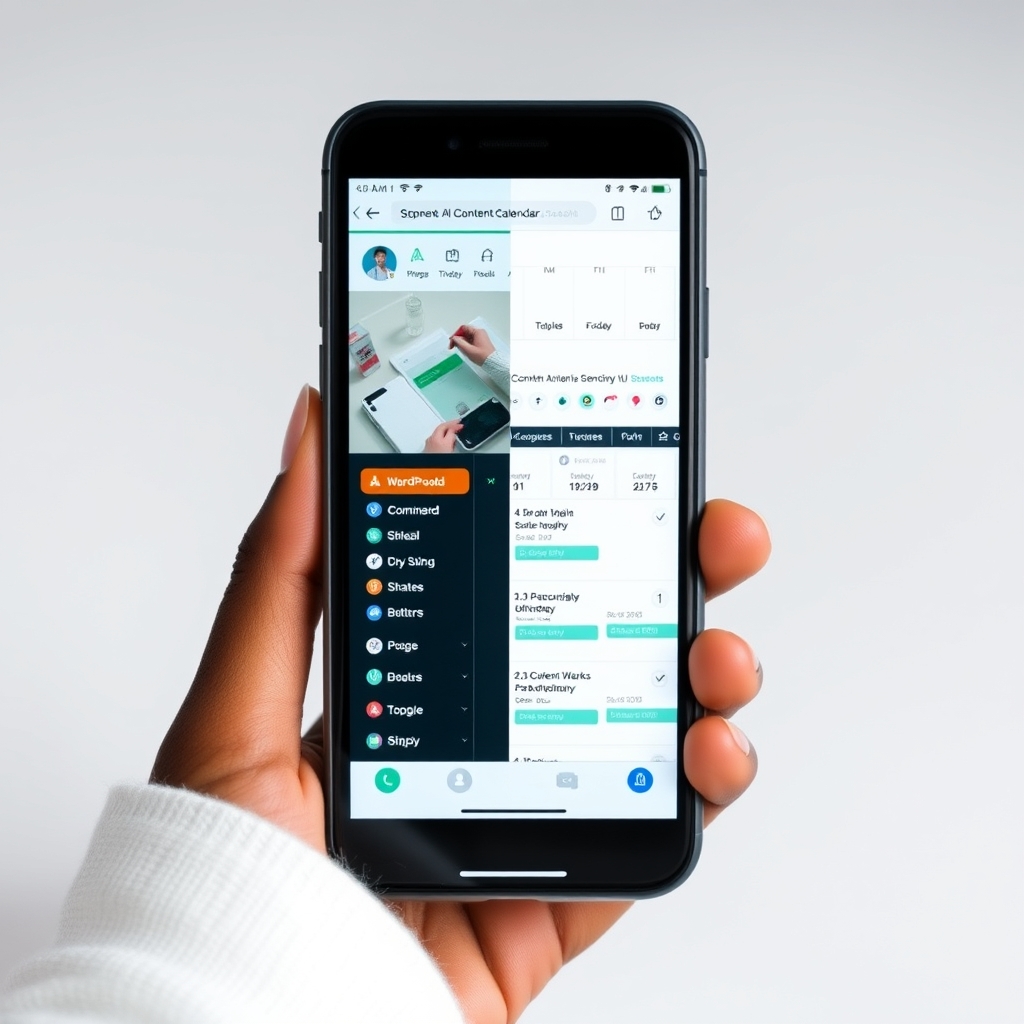
That’s exactly what a WordPress AI content calendar does. It doesn’t just remind you when to post; it suggests topics, drafts outlines, schedules posts, and even helps with SEO. The result? More consistent publishing, less guesswork, and more time to focus on what truly matters: creating content that resonates with your audience. Think of it as having a reliable assistant who never sleeps, never complains, and never runs out of ideas.
For bloggers and small business owners in Nigeria and across Africa, this kind of automation can be a game-changer. Imagine running a food blog in Lagos. Instead of spending hours every week brainstorming recipes, your AI calendar could suggest a month-long series on affordable Nigerian meals, draft outlines for each post, schedule them for Tuesday and Thursday mornings, and even generate simple infographics for each recipe. All you need to do is review, tweak, and hit publish. That’s not just saving time,it’s freeing you up to engage with your readers and grow your audience.
What a WordPress AI content calendar does for your site
A WordPress AI content calendar isn’t magic,it’s a system that combines planning, automation, and smart suggestions to keep your publishing on track. Here’s what it typically handles:
- Topic generation: AI tools can analyze trending keywords, your past content, and industry topics to suggest fresh ideas that fit your niche. For example, if you run a fashion blog targeting Kenyan readers, your AI calendar might suggest posts like “How to Style Ankara Fabrics for Office Wear” or “Affordable Fashion Brands in Nairobi.”
- Content scheduling: You set your publishing frequency, and the system queues posts automatically, even during busy periods. No more last-minute scrambling to meet deadlines.
- SEO optimization: AI can recommend keywords, check readability, and suggest internal links to boost your search rankings. It can also flag issues like missing meta descriptions or poor keyword density before you hit publish.
- Draft creation: Some systems can draft full articles or outlines based on your brief, which you can then refine and publish. This is especially useful for evergreen topics or series where consistency matters.
- Visual content help: AI can generate featured images, alt text, and even suggest image sources from open-licensed libraries like Openverse. This means you’re never stuck with a blank featured-image box again.Here’s a real-world scenario: You run a tech blog for Nigerian startups. Your AI calendar could suggest a weekly series on “Funding Trends in African Tech,” draft outlines for each post, schedule them for Monday mornings, and even create simple charts comparing funding rounds across countries. All you need to do is review the drafts, add your unique insights, and publish. The system handles the rest.
How this differs from a traditional editorial calendar
A traditional calendar is just a spreadsheet or a to-do list. You fill it with dates and topics, but the heavy lifting,research, drafting, scheduling,is still on you. A WordPress AI content calendar does more of the work behind the scenes. It doesn’t replace your judgment; it handles the repetitive tasks so you can focus on quality and strategy.
For instance, if you’re managing a news site covering African business trends, your AI calendar could automatically pull trending topics from sources like TechCabal or WeeTracker, draft summaries, and schedule them for publication. You’d still need to fact-check and add your editorial voice, but the system saves you hours of manual research and drafting.
In practice, this means you spend less time staring at a blank screen and more time engaging with your audience. It also helps you maintain consistency, which is key for building trust with readers and improving your site’s SEO over time.
Step-by-step: How to set up your WordPress AI content calendar
You don’t need a tech background to build a WordPress AI content calendar. Here’s a simple way to get started using tools you may already have or can set up in a day. We’ll break it down into four clear steps, with practical examples tailored to African bloggers and content managers.
Step 1: Choose your AI tools and plugins
Start with the basics. You’ll need:
- A WordPress plugin that supports automation and AI features.
- An AI writing or topic-generation tool that integrates with WordPress or your workflow.
- A scheduling plugin if your AI tool doesn’t handle publishing queues.Some popular options include AI-powered plugins like All in One SEO, Rank Math, or specialized tools like AI SEO Publisher. These plugins can help with topic ideas, keyword suggestions, and even automated publishing. If you’re on a budget, start with free tiers. Many AI tools offer generous free allowances for text generation, which can be enough for small blogs.
For image generation, look for providers with free tiers or open-licensed stock images from Openverse. For example, if you run a travel blog about Ghana, you could use AI to generate images of Accra landmarks, then fall back to Openverse if the AI service is unavailable or hits a rate limit.
If you’re comfortable with APIs, you can also use standalone AI tools like Gemini or OpenAI for content generation, then import the drafts into WordPress. Just make sure your workflow includes a review step before publishing.
Step 2: Define your content goals and audience
Before the AI suggests anything, tell it what you need. Ask yourself:
- What topics does my audience care about most?
- How often do I want to publish?
- What’s my publishing schedule like (e.g., weekdays only, weekends off)?
- Do I need SEO-optimized drafts, or just topic ideas?For example, if you run a health and wellness blog targeting South African readers, your goals might include weekly posts on nutrition tips, fitness routines, and mental health advice. Your AI calendar can then prioritize those topics and suggest angles based on recent news or trending keywords in your niche. You could even set it to focus on local topics, like “Affordable Gyms in Johannesburg” or “Traditional Medicines in Zulu Culture.”
Be specific with your briefs. Instead of vague prompts like “write about business,” try “write a 500-word guide on starting a small business in Lagos, targeting first-time entrepreneurs.” The more detail you provide, the better the AI output will be.
Step 3: Set up your content queue and automation rules
Most AI-powered content calendar tools let you create a publishing queue. You define the rules, and the system handles the rest. For example:
- Batch creation: Generate 10 topic ideas and outlines on Monday, then schedule them to publish over the next two weeks. This is perfect for evergreen content or series.
- SEO gates: Require AI-generated posts to pass a basic SEO check before they’re queued for publishing. Tools like Rank Math or All in One SEO can automate this.
- Image fallback: If AI image generation fails, automatically pull a relevant image from Openverse instead of leaving a blank space. This ensures your posts always look professional.
- Review reminders: Set up notifications in WordPress or via email to review AI-generated drafts before they go live. This keeps you in control while reducing manual work.You can also set up rules for different types of content. For example, if you publish product reviews, you might want the AI to include a disclaimer like “Prices may vary based on location and retailer” to ensure transparency with your readers.
Step 4: Test, refine, and humanize the output
AI-generated content isn’t perfect. It can sound robotic or miss local context. That’s why you should always review and tweak the drafts. Focus on:
- Tone and style: Does the writing match your brand voice? If you run a youth-focused blog, the tone should be energetic and relatable. If you’re writing for professionals, it should be polished and concise.
- Accuracy: Are facts and references correct? Double-check any statistics, dates, or local details. For example, if the AI mentions a Nigerian holiday, verify the date and cultural significance.
- Local relevance: Does it speak to your audience, or does it feel generic? Add local examples, slang, or references to make the content feel authentic. For instance, if you’re writing about mobile money in Uganda, mention services like MTN Mobile Money or Airtel Money.
- Readability: Are sentences clear and engaging? Break up long paragraphs, add subheadings, and use bullet points to improve flow.For example, if your AI suggests a post titled “How to Start a Business in Nigeria,” you might add a section on registering with the Corporate Affairs Commission (CAC) or highlight local funding options like the Bank of Industry (BOI). Small tweaks like this can make a big difference in engagement and trust.
Practical tips to make your WordPress AI content calendar work better
Even the best systems need a little fine-tuning. Here are some tips to get the most out of your WordPress AI content calendar, based on real-world use cases from African bloggers and content managers:
- Start small: Don’t try to automate everything at once. Begin with topic generation and scheduling, then gradually add features like draft creation or image generation as you get comfortable. For example, start by using AI to suggest topics for the next month, then expand to drafting outlines.
- Use structured briefs: The better your input, the better the AI output. Instead of vague prompts like “write about business,” try “write a 500-word guide on starting a small business in Lagos, targeting first-time entrepreneurs, with a focus on affordable resources.”
- Set up fallbacks: AI services can fail or hit rate limits. Have backup providers or manual steps ready so your publishing schedule isn’t disrupted. For example, if your primary AI tool is down, switch to a secondary provider or manually draft the post.
- Monitor performance: Track which AI-generated posts perform best. Use analytics to see if certain topics or formats get more traffic, then adjust your calendar accordingly. For instance, if posts about “remote work tools for Nigerian teams” get more shares, consider making that a recurring series.
- Keep a human touch: AI can draft content, but it can’t replace your unique perspective. Add personal stories, local insights, or your own voice to make the content stand out. For example, if you’re writing about street food in Accra, share your own experiences or interviews with vendors.Another pro tip: Repurpose your AI-generated content. Turn a blog post into a Twitter thread, a LinkedIn article, or even a short video script. This maximizes the value of each piece of content without extra effort. For example, if you publish a guide on “How to Save Money in Kenya,” you could create a Twitter thread summarizing the key points, a LinkedIn post highlighting the most actionable tips, and a YouTube short with a quick overview.
Common pitfalls to avoid with WordPress AI content calendars
Automation saves time, but it can also introduce new problems if you’re not careful. Here are a few mistakes to watch out for, along with practical solutions:
- Over-reliance on AI: Don’t publish AI-generated content without reviewing it. Always check for accuracy, tone, and relevance. For example, if the AI suggests a post about “The Best Beaches in Mombasa,” verify the locations and add your own experiences or recommendations.
- Ignoring SEO: Even if your AI tool includes SEO features, double-check the recommendations. Some tools suggest keywords that are too competitive or irrelevant to your audience. Use tools like Google Keyword Planner or Ubersuggest to validate the suggestions.
- Skipping the editorial process: AI can draft content, but it can’t edit it. Set aside time to refine drafts, add examples, and ensure the post flows naturally. For example, if the AI drafts a post about “How to Invest in Nigerian Stocks,” add a section on local brokerage firms or tax implications.
- Forgetting about images and media: A post with no images or broken image links hurts engagement. Always verify that images load correctly and have proper alt text. Use tools like TinyPNG to compress images for faster loading times.
- Not testing the system: Before you fully automate, test your workflow with a few posts. Make sure the AI generates usable drafts, the scheduler works, and the publishing process is smooth. For example, publish a test post with AI-generated content to see how it looks on your site and how it performs with readers.One real-world example: A Nigerian tech blogger once automated their entire publishing process without testing it first. The AI generated a post about “New iPhone Models in 2024,” but the draft included outdated information and irrelevant images. The post went live without review, and readers quickly pointed out the errors in the comments. The lesson? Always test your workflow before scaling up.
What to do next: Turn your calendar into a growth engine
Building a WordPress AI content calendar is just the first step. To make it truly valuable, use it as a foundation for growth. Here’s how to take your system to the next level:
First, review your calendar every month. Look at which topics performed best and which didn’t. Adjust your content strategy based on what resonates with your audience. For example, if posts about “remote work tools for Nigerian teams” get more traffic, consider making that a recurring series. You could even create a downloadable guide or a webinar on the topic to further engage your audience.
Next, experiment with different formats. AI tools can help you repurpose content easily. Turn a blog post into a Twitter thread, a LinkedIn article, or even a short video script. This maximizes the value of each piece of content without extra effort. For example, if you publish a guide on “How to Start a Side Hustle in South Africa,” you could create a Twitter thread with key takeaways, a LinkedIn post highlighting success stories, and a YouTube short with a quick overview.
Finally, involve your team. If you work with writers, editors, or designers, integrate them into the process. AI can handle the heavy lifting, but human creativity and expertise are what make your content truly shine. For example, you might use AI to draft a post, then have your editor refine the tone and add local examples before publishing. Or, you could use AI to generate images, then have your designer add branding elements to make them feel more professional.
With a well-tuned WordPress AI content calendar, you’ll spend less time on planning and more time growing your audience. It’s not about replacing your creativity,it’s about giving you the freedom to focus on what matters most.
Ready to get started? Pick one area to automate first,whether it’s topic generation or scheduling,and build from there. Your future self will thank you.
Frequently Asked Questions
Do I need coding skills to set up a WordPress AI content calendar?
No. Most AI-powered content calendar tools are designed as WordPress plugins or integrate with your site through simple setups. You don’t need to write code—just follow the plugin’s instructions or use a guided workflow.
Can AI-generated content rank well on Google?
AI can help with SEO by suggesting keywords and optimizing readability, but Google ranks content based on quality, relevance, and user experience. Always review and improve AI-generated drafts to ensure they meet these standards.
Are there free AI tools I can use for my WordPress content calendar?
Yes. Many AI tools offer free tiers with generous limits. For example, you can use free AI models for topic ideas and outlines, and open-licensed images from Openverse for featured images. Start with free options before upgrading.
How often should I review my AI-generated content before publishing?
Review every post at least once before it goes live. Focus on accuracy, tone, and local relevance. Even if the AI draft looks good, a quick human check ensures it aligns with your brand and audience.
Start small: automate topic generation for your next three posts using a WordPress AI content calendar plugin. Review, refine, and publish—then scale up as you gain confidence.







Discussion