

Why Nigerian websites outgrow shared hosting, and when VPS hosting in Nigeria becomes the smarter choice
Shared hosting is ideal for small Nigerian websites, personal blogs, basic business pages, or early-stage projects. It’s affordable, easy to set up, and handles low-traffic sites without issues. But as your Nigerian site grows, shared resources can become a bottleneck. Slow load times, “resource limit reached” warnings, and downtime signal it’s time for a change.
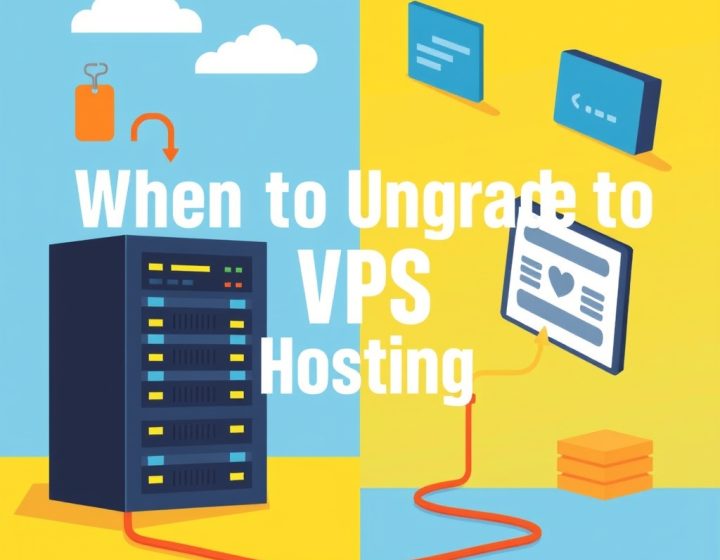
Imagine your e-commerce store during a Black Friday sale or your blog gaining thousands of readers. These are good problems, but they expose the limits of shared hosting. That’s when VPS hosting in Nigeria becomes the practical upgrade. With a VPS, you get dedicated resources,CPU, RAM, and storage,so your site runs smoothly even during peak hours. It’s like moving from a crowded market stall to a private office where you control the environment, install what you need, and scale without restrictions.
If your site is still small, shared hosting may suffice. But if you’re seeing slow performance, frequent errors, or warnings about storage and bandwidth, it’s time to plan the switch.
How to tell your Nigerian site has outgrown shared hosting
Shared hosting works until it doesn’t. Watch for these red flags that mean you need a VPS:
- Your site loads like a snail: Pages taking more than three seconds to appear drive visitors away, and search engines take notice. Shared servers struggle during traffic spikes, especially in Nigeria where internet speeds can be inconsistent.
- You’re seeing “503 Service Unavailable” or “Resource Limit Reached” errors: These messages mean your site is hitting CPU, RAM, or storage ceilings. Shared hosts enforce strict limits to keep costs low for everyone.
- Your hosting provider is charging overages: Frequent billing alerts for exceeding limits are a clear sign you’ve outgrown shared hosting.
- You need custom software or tools: Shared hosting restricts what you can install. Want to run Redis for caching? Need a specific PHP version? Want to set up a local email server? A VPS gives you full control.
- Security feels unreliable: Shared servers expose your site to risks from other users. A compromised neighbor can affect your site’s security. A VPS isolates your environment, letting you configure firewalls, updates, and monitoring.These aren’t just technical hurdles; they’re business risks. Every minute your site is slow or down, you lose visitors, customers, and revenue. Upgrading to a VPS isn’t just about fixing problems; it’s about future-proofing your online presence.
VPS vs shared hosting: What Nigerian website owners need to know
Choosing between shared hosting and VPS isn’t just about price; it’s about control, performance, and long-term growth. Let’s break down the key differences so you can decide what’s right for your Nigerian site.
Performance: Why shared hosting can’t keep up with Nigerian traffic
Shared hosting crams dozens of websites onto a single server, all sharing the same CPU, RAM, and disk space. That keeps costs low, but it also means your site’s speed depends on your neighbors. If another site on the same server gets a traffic spike, your pages slow down. In Nigeria, where internet speeds can already be patchy, this bottleneck is frustrating, and it hurts your business.
A VPS gives you guaranteed resources. Even if other VPS users on the same physical server experience high traffic, your allocated CPU and RAM stay stable. This consistency is crucial for e-commerce sites, membership platforms, or any site where uptime directly affects revenue. Imagine your online store loads in under two seconds, even during peak traffic,no more lost sales because of a slow server.
Control: Shared hosting locks you down; VPS sets you free
Shared hosting environments are restrictive. You’re stuck with the provider’s default software stack, and custom configurations aren’t allowed. For Nigerian businesses using WordPress, WooCommerce, or custom applications, this can feel like wearing handcuffs.

A VPS runs on a full operating system (usually Linux), so you can install exactly what you need. Want to set up a caching system like Varnish? Need PHP 8. for a new plugin? Want to run a local email server? With a VPS, you’re in control. This flexibility is especially useful for developers or businesses with unique technical needs, such as integrating a local payment gateway or setting up a custom CRM.
Security: Shared hosting is a risk; VPS lets you lock it down
Shared hosting can be risky because one compromised site on the server can affect others. If a neighbor installs a vulnerable plugin or script, your site might become vulnerable too. Nigerian sites handling customer data, payments, or sensitive information need stronger security.
A VPS isolates your environment. You can configure firewalls, install security patches immediately, and monitor activity without worrying about other users. For WordPress sites in Nigeria, this means fewer hacking attempts and more control over SSL certificates, user permissions, and backup strategies. You can even set up automated malware scans and intrusion detection systems.
Cost: When does a VPS make financial sense?
Shared hosting in Nigeria typically costs between ₦5,000 and ₦20,000 per year. VPS plans start around ₦30,000 annually but can go much higher depending on resources. So why pay more?
The extra cost buys you reliability, speed, and peace of mind. If your site earns revenue,whether through ads, sales, or subscriptions,a VPS often pays for itself by preventing lost visitors and downtime. Think of it as an investment in your site’s growth. A slow or unreliable site costs you customers every day you delay the upgrade.
How to pick the best VPS provider in Nigeria for your site
Not all VPS providers are built the same, especially when your audience is in Nigeria. Latency, support, and local infrastructure matter. Here’s what to look for when choosing a VPS hosting provider in Nigeria.
Server location: Keep your site close to your visitors
If your visitors are mostly in Nigeria, choose a VPS with servers in Lagos or other major Nigerian data centers. This reduces latency and improves load times. Some providers offer servers in Europe or the US, which can work but may add a few hundred milliseconds to each request,enough to frustrate Nigerian users.
Ask about CDN integration too. A content delivery network can cache your site globally, making it faster for users across Nigeria and beyond. Some providers include CDN credits or easy setup guides.
Support: 24/7 help when you need it most
Technical issues don’t wait for business hours. Look for providers with 24/7 support, preferably with Nigerian-based teams who understand local hosting challenges. Good support can save you hours of troubleshooting,or even prevent a site outage during a critical moment.
Check reviews and ask other Nigerian website owners for recommendations. A provider with a strong local reputation is usually a safer bet. Look for providers that offer live chat, ticketing, and phone support in Nigeria.
Scalability: Grow without hitting a ceiling
Your VPS needs may grow quickly. Choose a provider that lets you upgrade resources,CPU, RAM, storage,without downtime. Some providers offer burstable resources, which can handle temporary traffic spikes without overpaying.
Compare pricing models too. Some charge by the hour, others by the month. Look for transparent pricing with no hidden fees for backups, migrations, or support. Ask about upgrade paths,can you move from a small VPS to a larger one in minutes, or will you need to rebuild your server?
Security features: Lock down your VPS from day one
A good VPS provider should offer free SSL certificates, automated backups, and DDoS protection. Some include malware scanning or firewall management. These features are essential for Nigerian sites handling payments or user data.
Also check if the provider offers server hardening services or guides. A secure VPS setup starts with a well-configured server. Look for providers that include basic security tools like fail2ban, UFW firewall, and automatic security updates.
Popular VPS providers serving Nigerian websites
Here’s a snapshot of well-known VPS providers that cater to Nigerian customers. Prices and features change often, so always verify the latest details on their websites.
Comparison summary
Provider Server Locations Starting Price (Monthly) Key Features Namecheap VPS Nigeria, Europe, US ₦3,500 Full root access, free SSL, DDoS protection Contabo VPS Europe ₦2,800 High RAM options, 100 Mbps bandwidth Hostinger VPS Europe, US ₦4,200 Managed options, daily backups Local Nigerian providers Lagos, Abuja ₦5,000,₦15,000 Local support, NGN pricing, local data centers This table is a starting point. Always check the provider’s website for current pricing, plans, and features before deciding. Some providers offer free trials or money-back guarantees,useful for testing before committing.
Migrating your Nigerian website to VPS: A step-by-step plan
Moving from shared hosting to a VPS can feel overwhelming, but with a clear plan, it’s manageable. Follow these steps to migrate your Nigerian site safely and minimize downtime.
Step 1: Set up your new VPS with the right stack
Before migrating, prepare your VPS with the software it needs. Most Nigerian sites run on Linux, so install a stable version like Ubuntu 22. LTS. Then, install the essentials:
- Web server: Apache or Nginx (Nginx is often faster for high-traffic sites)
- Database: MySQL or MariaDB (MariaDB is a drop-in replacement with better performance)
- PHP: Match the version your site requires (PHP 8. or 8. for modern WordPress)
- Security tools: fail2ban (to block brute-force attacks) and UFW firewall (to restrict access)If you’re using WordPress, consider installing a caching plugin like WP Rocket or LiteSpeed Cache. This will speed up your site after migration and reduce server load.
Step 2: Back up everything from your shared hosting
Back up your website files, database, emails, and any custom configurations. Most shared hosting providers offer backup tools in cPanel. Download these backups to your local computer or cloud storage like Google Drive or Dropbox.
Double-check that your backups are complete. A partial backup can cause issues during migration. Test restoring the backup on a local server or staging environment to confirm it works.
Step 3: Upload files and database to your VPS
Use an FTP client like FileZilla to upload your website files to the VPS. Place them in the correct directory (usually /var/www/html for Apache or /usr/share/nginx/html for Nginx).
Import your database using phpMyAdmin or the command line. Update the database credentials in your site’s configuration file (wp-config.php for WordPress) to match the new database details. Don’t forget to update the site URL if it’s hardcoded in the database.
Step 4: Test your site on the VPS before going live
Before pointing your domain to the new server, test your site using the VPS’s IP address. You can do this by editing your local hosts file (on Windows or macOS) to temporarily map your domain to the VPS IP. This lets you preview the site without affecting live visitors.
Check every page, form, and function. Test login areas, payment gateways, and any integrations. Fix any issues before going live. Pay special attention to mobile responsiveness,many Nigerian users browse on phones.
Step 5: Update your domain’s DNS to point to the new VPS
Once testing is successful, update your domain’s DNS records to point to the new VPS. This usually involves changing the A record to your VPS’s IP address. DNS changes can take up to 48 hours to propagate, so plan the switch during low-traffic periods, like late at night or early morning.
Keep your shared hosting account active for a few days as a backup. If anything goes wrong, you can quickly revert the DNS change and restore service. Once you’re confident everything works, you can cancel the shared hosting plan.
Step 6: Monitor, optimize, and secure your new VPS
After migration, monitor your site’s performance and error logs. Use tools like Google PageSpeed Insights or GTmetrix to check load times. Optimize images, enable caching, and consider a CDN to improve speed for Nigerian visitors.
Set up automated backups on your VPS to avoid losing data. Many providers offer backup solutions, or you can use tools like UpdraftPlus for WordPress. Schedule backups weekly or daily, depending on how often your site changes.
Locking down your VPS: Security best practices for Nigerian sites
A VPS gives you control, but it also means you’re responsible for security. Nigerian sites face unique threats, from phishing scams to brute-force attacks targeting WordPress logins. Here’s how to lock down your VPS and keep your site safe.
Keep your server updated,no exceptions
Outdated software is the easiest way for hackers to exploit your server. Set up automatic security updates for your operating system and critical software like PHP and MySQL. Use commands like:
sudo apt update && sudo apt upgrade -yFor WordPress sites, keep plugins and themes updated too. Remove any unused plugins to reduce attack surfaces. Old plugins are a common entry point for hackers.
Configure a firewall to block unauthorized access
Firewalls block unauthorized access to your server. On Ubuntu, use UFW (Uncomplicated Firewall) to allow only necessary ports:
sudo ufw allow 22/tcp

sudo ufw allow 80/tcp

sudo ufw allow 443/tcp

sudo ufw enable
This allows web traffic but blocks everything else by default. You can also restrict SSH access to specific IP addresses for extra security.
Use strong passwords, and SSH keys instead of passwords
Avoid using “admin” or “password123” for your server login. Generate strong passwords and consider using SSH keys instead of passwords for remote access. SSH keys are much harder to crack than passwords.
Disable password authentication for SSH entirely once you’ve set up key-based access. This reduces the risk of brute-force attacks.
Install an SSL certificate,every Nigerian site needs HTTPS
Every Nigerian website should use HTTPS. It encrypts data between your site and visitors, protecting sensitive information like login details and payment data. Many VPS providers include free SSL certificates via Let’s Encrypt. Install one with:
sudo apt install certbot python3-certbot-nginx

sudo certbot --nginx -d yourdomain.com
Renewal is automatic, so your site stays secure without extra effort.
Monitor for suspicious activity, and act fast
Use tools like Fail2Ban to block repeated login attempts. Monitor server logs for unusual activity, such as sudden spikes in traffic or failed login attempts. Set up email alerts for critical events like high CPU usage or repeated SSH login failures.
For WordPress sites, consider security plugins like Wordfence or MalCare. These scan for malware, block attacks, and help recover hacked sites. Regular scans can catch issues before they become serious problems.
VPS hosting for WordPress in Nigeria: Optimizing for speed and security
WordPress powers over 40% of all websites, and Nigerian blogs, businesses, and news sites rely on it daily. If your site runs on WordPress, a VPS can dramatically improve its performance and security. Here’s what to consider when choosing a VPS for WordPress in Nigeria.
Tune WordPress for peak performance on a VPS
WordPress sites on shared hosting often suffer from slow load times because of limited resources. On a VPS, you can optimize every aspect of your site:
- Caching: Use a plugin like WP Rocket or LiteSpeed Cache to serve static versions of your pages. This can cut load times in half.
- Database optimization: Clean up post revisions, spam comments, and unused tables with plugins like WP-Optimize. A lean database runs faster.
- Image compression: Use tools like ShortPixel or Imagify to reduce image sizes without losing quality. Large images are a common cause of slow sites.
- CDN integration: A content delivery network caches your site globally, making it faster for Nigerian visitors. Cloudflare and BunnyCDN are popular choices.These optimizations can turn a sluggish site into a fast, reliable one,improving user experience and SEO rankings.
Email hosting on VPS: Professional addresses without the hassle
Many Nigerian websites need professional email addresses like info@yourbusiness.com. Shared hosting often includes email, but it’s unreliable and lacks features. With a VPS, you can set up a full email server using tools like Postfix and Dovecot.
For a simpler solution, use a transactional email service like SendGrid or Mailgun. These services handle deliverability and spam filtering, so you don’t have to manage a mail server yourself. They’re affordable and reliable for most Nigerian businesses.
If you prefer full control, set up a mail server on your VPS. Just be prepared to configure SPF, DKIM, and DMARC records to avoid being marked as spam. These DNS records help email providers trust your messages.
Automate WordPress updates and backups
WordPress core, themes, and plugins need regular updates. On a VPS, you can automate these updates using WP-CLI or plugins like Easy Updates Manager. Just be cautious,automated updates can sometimes break your site, so always test updates on a staging site first.
Backups are critical. Use a plugin like UpdraftPlus to automatically back up your site to cloud storage (Google Drive, Dropbox) or your VPS’s local storage. Schedule backups weekly or daily, depending on how often your site changes. Store backups off-site in case your VPS fails.
Your next move: Upgrading to VPS hosting in Nigeria
If your Nigerian website is struggling with slow speeds, frequent downtime, or limited resources, it’s time to consider upgrading to a VPS. Start by assessing your site’s needs,how much traffic do you get? What features does your site require? Then, choose a VPS provider with servers in Nigeria or nearby regions for the best performance.
Plan your migration carefully. Back up everything, test thoroughly, and update your DNS only after confirming your new VPS works perfectly. Once live, focus on security and optimization to keep your site running smoothly.
Upgrading to a VPS isn’t just about fixing problems; it’s about preparing for growth. Whether you’re running a blog, an online store, or a business website, a VPS gives you the control and reliability to scale confidently. Take the first step today and give your Nigerian website the upgrade it deserves.
Frequently Asked Questions
How much does VPS hosting cost in Nigeria?
VPS hosting in Nigeria typically starts around ₦30,000 per year, but prices vary based on resources like CPU, RAM, and storage. Entry-level plans may cost as little as ₦2,500 per month, while high-performance servers can exceed ₦15,000 monthly. Always check current pricing on the provider’s website.
Can I host my WordPress site on a VPS in Nigeria?
Yes. Many Nigerian website owners run WordPress on VPS for better speed, security, and control. You’ll need to install a web server, database, and PHP, then migrate your site. Optimizing caching and using a CDN can further improve performance.
How long does it take to migrate from shared hosting to VPS?
A basic migration can take a few hours if you’re familiar with server management. For complex sites with large databases or custom setups, allow a full day. Always test the new VPS thoroughly before switching your domain’s DNS.

Do I need technical skills to manage a VPS in Nigeria?
Basic Linux commands help, but many providers offer managed VPS plans where they handle updates, security, and backups. If you’re comfortable with cPanel or WordPress, you can learn VPS management with time and practice.
Is email hosting included with VPS in Nigeria?
VPS plans usually don’t include email hosting by default. You can set up your own mail server or use a transactional email service like SendGrid. This gives you more control but requires additional configuration.
Ready to upgrade your Nigerian website? Start by checking your current hosting limits and comparing VPS providers. If you’re unsure where to begin, reach out to a local web developer or hosting support for guidance tailored to your site’s needs.




Discussion