

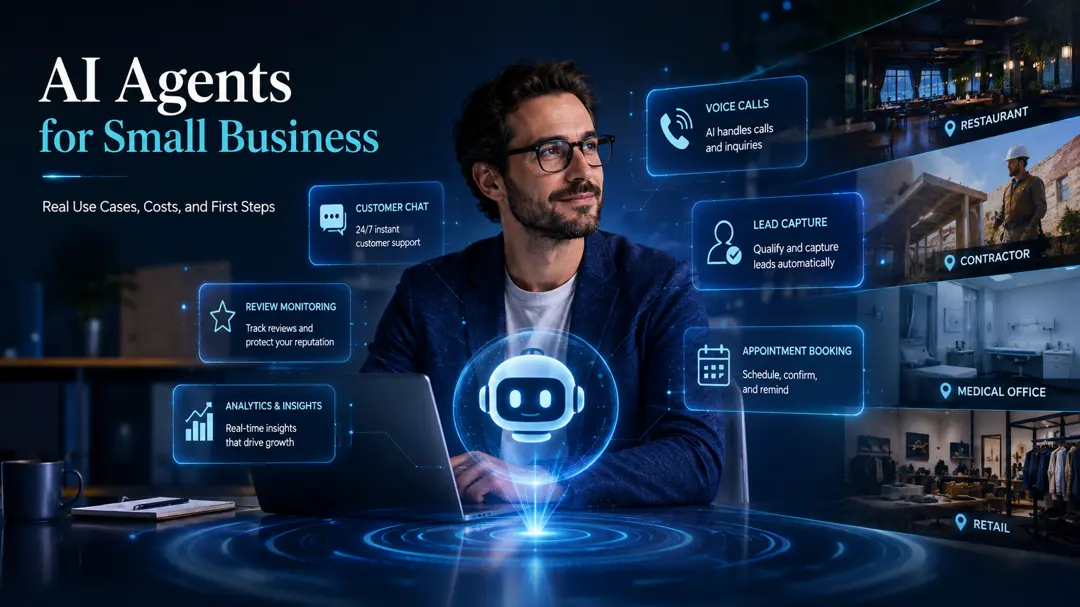
Every small business owner eventually hits a wall where administrative friction outpaces growth. You spend hours copying data between spreadsheets, vetting leads manually, and answering identical customer queries. While basic chatbots offer canned responses, a newer class of software, autonomous AI agents, can actually execute multi‑step tasks across your existing tools. Finding the best ai agents for small business means looking past the marketing hype to find reliable systems that automate repetitive tasks with AI without requiring a full engineering team.
What Distinguishes an AI Agent From a Standard Chatbot?
Most standard AI tools require you to prompt them, wait for an answer, and then manually copy that output where it needs to go. In contrast, autonomous ai agents for business operate differently by combining memory, planning, and access to external tools. Instead of waiting for step‑by‑step instructions, you give an agent a goal, such as “vet incoming leads and update the CRM,” and it determines the necessary steps itself.
An agent can connect to your email, parse attached documents, search for missing information, and trigger actions in third‑party software. To understand how these autonomous setups differ from simple, single‑action triggers, see our comparison of AI Agents vs Tools for Business Automation.
Choosing the Best AI Agents for Small Business
When evaluating options, focus on how well a platform aligns with your current workflow, the level of no‑code support, and the robustness of its safety controls. Look for platforms that offer clear audit logs, rate‑limiting hooks, and built‑in human‑in‑the‑loop gates.
Practical AI Agent Platforms for Business Automation
Deploying these systems no longer requires writing complex Python scripts. Several no‑code ai automation tools have made it possible to build and deploy digital assistants directly within your browser.
Zapier Central
Zapier Central excels at orchestrating tasks across your existing app ecosystem. It operates as a central workspace where you can build custom bots that monitor triggers across thousands of platforms. It is particularly effective as one of the best ai tools for solopreneurs who already use Zapier to glue their workflows together. You describe what you want the bot to do in plain English, and it executes actions when specific conditions are met.
Relevance AI
In practice, best ai agents for small business becomes clearer when you compare the options against the goal in front of you. Relevance AI is built for creating specialized digital workers. Instead of a single chatbot, you can configure multiple agents to handle separate roles, like research, data entry, or lead enrichment. By defining specific tasks and giving them access to your internal databases, you can construct complex small business ai workflows that run in the background.

Lindy.ai
Lindy.ai behaves like a suite of pre‑configured ai virtual assistants for small business. You can spin up Lindy agents to manage calendars, draft replies based on historical email threads, or moderate community chats. Setup is entirely conversational, which lowers the technical barrier for team members who need to adjust workflows on the fly.
Microsoft Copilot Studio
If your business is heavily integrated into the Microsoft 365 ecosystem, Copilot Studio provides a secure way to build custom ai agents for customer support and internal document retrieval. Because it integrates directly with SharePoint, Teams, and Outlook, it lets you leverage proprietary company data without exposing it to external models.
Designing Low‑Risk Small Business AI Workflows
The secret to automation is starting with narrow, predictable tasks rather than trying to automate an entire department at once. Three areas offer immediate value:
- Lead Enrichment and Vetting: An agent can watch your incoming web forms, search public databases to find the lead’s company size and industry, check if they meet your target customer profile, and draft a tailored introductory email for your review.
- Accounts Payable Matching: You can configure an agent to extract data from PDF invoices arriving in a dedicated inbox, cross‑reference the line items against your purchase orders or contracts, flag any pricing discrepancies, and draft a clean upload file for your accounting platform.
- Support Ticket Dispatch: An agent can monitor customer emails, categorize the requests by urgency and topic, draft initial troubleshooting steps from your documentation, and elevate complex issues to the correct staff member.
Operational Realities and Safeguards
Building software with integrated AI models reveals a critical truth: autonomous agents can fail in unexpected ways. If an API updates, a database schema changes, or an agent encounters an unfamiliar file format, it can get trapped in an expensive execution loop, repeatedly trying to resolve the error while consuming paid API tokens.
When deploying these systems, always set strict rate limits and run‑budget caps to prevent cost overruns. If you are building custom agents, you can minimize expenses by adopting a hybrid provider strategy, using free tiers for basic tasks and reserving premium models for complex reasoning. For a detailed breakdown of this approach, read our guide on Free AI APIs for Automation.
Additionally, security should never be an afterthought. Never grant an autonomous agent direct write‑access to your primary database or sensitive financial credentials. Use read‑only permissions where possible, and route data through secure intermediate APIs rather than exposing raw database keys.
Implementing a Human‑in‑the‑Loop Safeguard
Before making a decision about best ai agents for small business, use these points to weigh the trade-offs in your own situation. The safest way to transition from manual work to automation is by keeping a human editor in the loop. When you first launch an agent, configure it with a “draft and review” rule. The agent should complete the research, write the email, or format the invoice, but it must pause and ask for human approval before sending, publishing, or updating a live database. Once the agent has completed fifty tasks without an error, you can safely remove the manual approval gate and move it to fully autonomous status.







Discussion