25 Best AI Tools for YouTube Creators in 2026
July 3, 2026
Remote Jobs That Pay in Dollars in 2026
July 5, 20268 Best Free AI Tools for Photographers in 2026
That Are Actually Changing the Game
Your editing backlog is not a discipline problem. It is a tool problem. While you are manually sharpening 3,000 wedding photos one by one, other photographers are using AI to finish the same job before they even get home from the event. This guide will catch you up completely.
We are in a completely different era for photographers. Five years ago, the competitive advantage was your camera body, your lens collection, and your Photoshop skills. Today, the competitive advantage is knowing which AI tools for photographers exist, which ones are worth your time, and how to plug them into your workflow without disrupting everything you have already built.
The good news? Most of the best free AI tools for photographers have free plans or free trials that are genuinely functional, not just demos. You can test all of these before spending a single naira. Let us get into them properly, one by one.
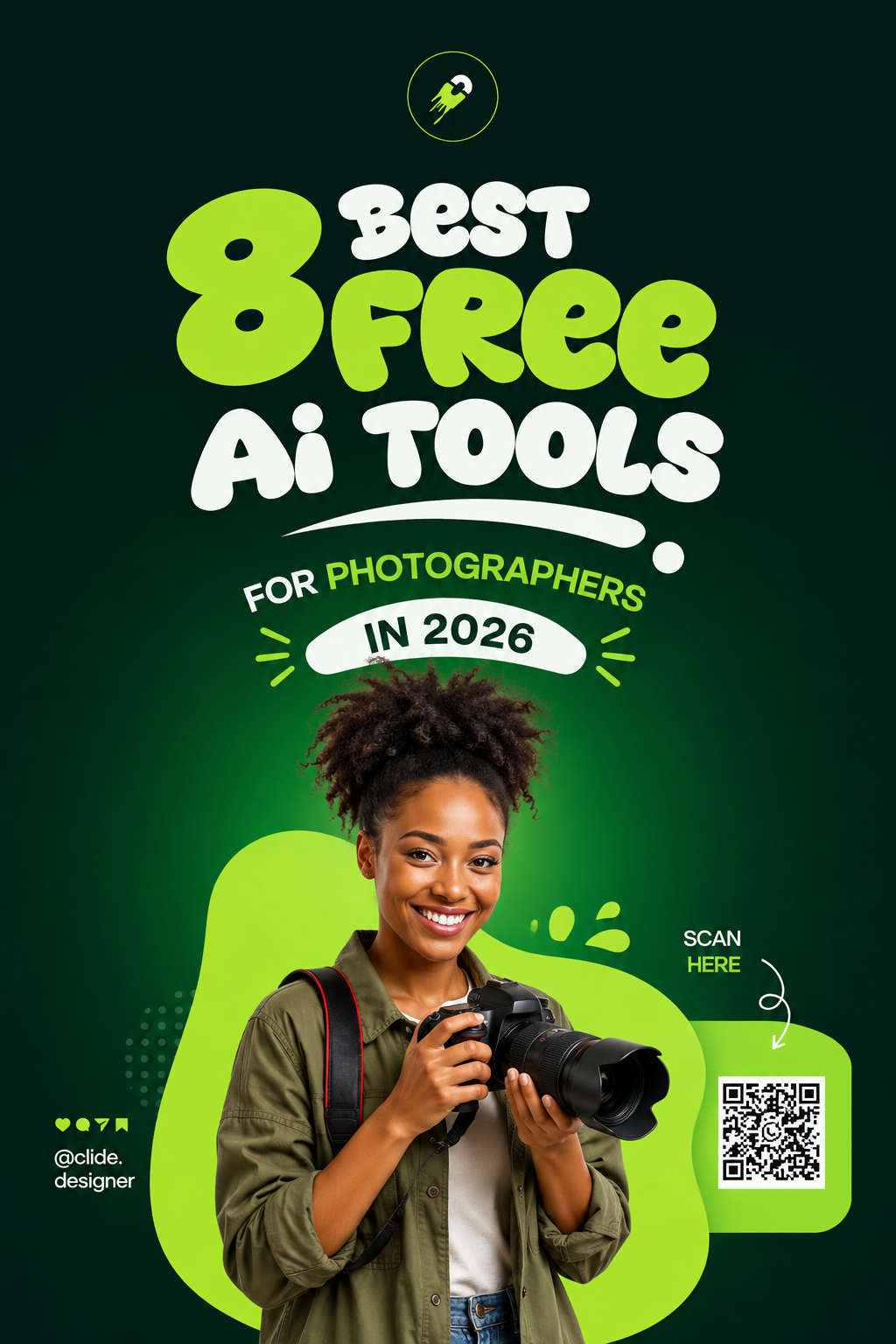
The 8 Best AI Tools for Photographers in 2026
Let me be direct about this one: Topaz Photo AI feels like it should not exist. Missed focus during the first dance at a reception? A slightly soft portrait where the eyes are not quite sharp? An image you need to print at billboard size from a camera that was not quite up to the task? Topaz handles all of it.
The AI inside Topaz is not just enlarging pixels the way older upscalers did. It is genuinely reconstructing detail — recovering skin texture, sharpening iris detail in eyes, reducing noise from high ISO shots — in a way that holds up at print resolution. For wedding photographers in Nigeria working in dimly lit churches and indoor receptions where you are often pushing ISO beyond comfort, this tool alone can rescue a significant percentage of images you might otherwise have to apologise to clients about.
My favourite use case that I keep hearing from photographers: clients who ordered large canvas prints and then discovered the image they chose from the gallery was not quite sharp enough at that size. Topaz AI upscale. Problem solved. Client happy. No reshoots. No refunds.
- Soft focus recovery
- AI sharpening
- Image upscaling
- Noise reduction
- Skin texture preservation
If Topaz is the professional standard, Magnific AI is the creative marvel. While Topaz focuses on technical recovery, Magnific uses generative AI to actually recreate realistic detail at extreme magnifications — detail that was never in the original image to begin with, synthesised intelligently based on what should logically be there.
Nigerian photographers working with fashion brands, magazine editorial clients, and high-end portrait clients are finding Magnific genuinely transformative for producing images that look absolutely stunning at large format sizes. But the use case I find most emotionally powerful is old photo restoration. Imagine taking a client's grainy 1970s black-and-white photo of their parents and returning it at 4K resolution with genuine detail and clarity. That is the kind of service people cry over and tell everyone they know about.
- Generative AI upscaling
- Detail recreation
- Fashion and editorial quality
- Old photo restoration
- Billboard-ready outputs
Here is the pitch for Imagen AI in one sentence: you edit one wedding the way you want it, train the AI on your specific editing decisions, and then watch it edit your next twenty weddings in exactly your style. Not approximately your style. Your actual style, the way you would do it yourself.
For photographers shooting two to three weddings a month in the busy November to January Nigerian wedding season, this tool is not a convenience. It is a business lifeline. The consistent editing style also means your portfolio looks cohesive across every single event you shoot, which is something clients and potential clients notice even when they cannot quite articulate why they are drawn to your work over someone else's.
I spoke with a wedding photographer in Abuja who processes roughly 3,500 images per event. Before Imagen, editing was a four-day job that he would procrastinate on until the client followed up. After Imagen, he described it as: "I go to sleep. I wake up. My assistant AI has done most of the editing. I review and adjust the obvious ones. That is it."
- Personal style training
- Batch editing thousands of images
- Lightroom integration
- Consistent portfolio look
- Wedding and event specialisation
If you are a photographer and nobody has told you about Aftershoot yet, consider this your most important introduction of 2026. Culling — going through hundreds or thousands of photos to select the best ones — is the most time-consuming and mentally draining part of event photography. It is also the least creative part, which makes it doubly painful.
Aftershoot eliminates most of it. The AI detects blinks, identifies duplicate shots within bursts, scores images on sharpness and exposure, finds the best smile in a sequence, and flags the obvious rejects automatically. Photographers who use it consistently report that what used to take six to eight hours of focused culling now takes about 45 minutes of reviewing the AI's selections and overriding the handful it got wrong.
The stat that stops everyone mid-sentence: many wedding photographers report cutting culling time by over 90 percent. That is not a small productivity gain. That is the equivalent of giving yourself a full extra workday every time you shoot an event. At two events a month, that is two full days of time returned to your life monthly. Every month. Indefinitely.
- Auto blink detection
- Duplicate removal
- Sharpness scoring
- Best shot selection
- Lightroom and Capture One integration
Portrait photographers, this one is specifically for you and it is genuinely remarkable. Evoto AI handles the kind of retouching that used to require either a dedicated retoucher on payroll or several hours inside Photoshop doing manual dodge and burn, healing, frequency separation, and all the other techniques that sound impressive in tutorials and feel tedious in practice.
In a single pass, Evoto can clean skin, perform natural dodge and burn, enhance eye clarity, whiten teeth subtly, correct face symmetry, refine makeup, and even handle body shaping — all with sliders that let you control how heavy-handed the AI is with each adjustment. The results genuinely look like professional manual retouching rather than the over-smoothed plastic skin that older AI retouching tools produced.
For portrait photographers in Nigeria dealing with clients who have very specific ideas about how their skin should look in the final images — which is essentially every portrait photographer in Nigeria — Evoto gives you a consistent, fast starting point that you can then refine for each individual client's preferences.
- AI skin retouching
- Dodge and burn automation
- Eye and teeth enhancement
- Face symmetry correction
- Body shaping tools
Think of Luminar Neo as Adobe Lightroom with every creative AI feature that Lightroom decided was too aggressive to include by default. Where Lightroom gives you tools and expects you to know how to use them, Luminar Neo gives you outcomes: "make this photo look cinematic" or "transfer the mood from this reference image to my photo" or "replace this overcast sky with a golden sunset."
The AI relighting feature deserves a special mention. If you shoot a portrait outdoors and the natural light was not cooperating — flat overcast, harsh midday sun, wrong direction — Luminar Neo can relight the scene using AI after the fact, adding virtual light sources that cast realistic shadows and highlights across the subject's face. It is not perfect every time, but when it works, it genuinely looks like the photographer had a professional lighting setup on location.
Travel and landscape photographers in Nigeria using it for coastal shoots around Lagos Island and Eko Atlantic have been particularly vocal about the sky replacement feature, which can transform a muddy midday sky into something worthy of a tourism campaign in seconds.
- AI sky replacement
- Cinematic colour grading
- AI relighting
- Mood transfer
- Automatic masking
Every Nigerian event photographer knows the specific anxiety of shooting inside a venue with terrible lighting and a coordinator who does not want flash because "it will disturb the ambience." You push your ISO to 6400, then 8000, then 12800 with your eyes half-closed, knowing you will have to deal with the consequences later. DxO PureRAW is what you use later.
DxO's DeepPRIME engine is consistently rated as one of the best — if not the absolute best — AI noise reduction systems available for photography. It processes your RAW files before they even reach Lightroom, cleaning noise while preserving genuine detail in a way that competing tools simply do not match. ISO 12800 shots that would previously be soft, grainy disasters can come out of DxO PureRAW looking like they were shot at ISO 800.
For photographers in Nigeria shooting Nigerian owambe parties, dimly lit church ceremonies, and evening receptions in ballrooms where "the chandeliers provide ambiance but not actual photography lighting" — which describes roughly 60 percent of Nigerian wedding venues — this tool is not optional. It is essential.
- DeepPRIME AI noise reduction
- RAW file preprocessing
- Lens distortion correction
- Lightroom integration
- High ISO recovery
Everything else on this list has a paid tier or a cost involved at some point. Upscayl is completely free. Open source. No subscription. No watermarks. No credit system. Just download it, run it on your computer, and upscale your images using genuine AI processing that would have cost hundreds of dollars to access through professional software five years ago.
The quality is genuinely competitive with paid tools for most standard use cases — social media delivery, web gallery images, client preview galleries, old portfolio images from earlier in your career that you want to refresh. It runs locally on your computer which means your images never leave your machine and there is no upload limit or file size restriction.
For photographers just starting out who cannot yet justify the investment in tools like Topaz or Magnific, Upscayl is the absolute first tool to install. It delivers real AI upscaling for zero cost, which is a combination that should not exist but happily does. Start here. Use it. Then upgrade to paid tools as your income grows.
- Completely free forever
- Open source
- Local processing (no uploads)
- No watermarks or limits
- Multiple AI model options
Convata.xyz — File Conversion and Compression for Photographers
Every photographer eventually runs into the same delivery problem. RAW files are too large for client sharing. Instagram wants one format. WhatsApp compresses your carefully graded image into something unrecognisable. Print labs require specific DPI and file formats. Website galleries need compressed but still sharp images. The back and forth between formats and sizes quietly eats more of your time than you realise.
This is exactly the problem Convata.xyz was built to solve. It helps photographers compress images, resize photos, convert between formats, optimise files for web delivery, and prepare different versions for different delivery channels — all without opening Photoshop or going through a complicated export workflow each time.
Quick Comparison: Which Tool Should You Start With?
| Tool | Free Option | Mobile Friendly | Best Use Case | Difficulty |
|---|---|---|---|---|
| Topaz Photo AI | ● Trial | ✗ | Focus recovery and sharpening | Easy |
| Magnific AI | ● Freemium | ✓ | Extreme upscaling and old photo restoration | Easy |
| Imagen AI | ● Free images/month | ✗ | Consistent batch editing at scale | Medium |
| Aftershoot | ● Trial | ✗ | Fast AI culling | Easy |
| Evoto AI | ● Freemium | ✓ | Portrait retouching | Easy |
| Luminar Neo | ● Trial | ✗ | AI colour grading and sky replacement | Easy |
| DxO PureRAW | ● Trial | ✗ | High ISO noise reduction | Easy |
| Upscayl | ✓ Always free | ✗ | General AI upscaling | Very Easy |
Common Mistakes Photographers Make With AI Tools
I have watched photographers adopt these tools and still not get the results they expected, almost always because of one of these completely avoidable errors.
Running AI on unculled images. Imagen AI, Aftershoot, Topaz — all of them perform significantly better when you feed them your best images rather than your entire unfiltered shoot. The AI cannot tell your artistic intention from your test shots. Cull first, then process. The results will look much more consistent and professional.
Maxing out every AI slider to 100 percent. This is the digital photography equivalent of over-seasoning food. AI retouching at full intensity almost always looks artificial. AI sharpening at maximum creates halos. AI noise reduction at 100 percent removes texture along with the grain. Start at 50 percent for every AI adjustment and work from there.
Skipping the review step entirely. AI tools are fast but they are not infallible. Aftershoot will occasionally flag a beautiful shot as a reject because of minor motion blur in the background. Imagen will occasionally apply the wrong white balance to a tricky mixed-lighting image. Always review AI decisions on a sample before approving the entire batch delivery.
Training Imagen AI on a poorly edited set. The whole power of Imagen is that it learns from how you edit. If you train it on a mediocre editing job — one where you were rushing and your white balance was inconsistent and your exposure adjustments were not quite intentional — it learns those mediocre habits. Train it on your absolute best work only.
Using AI retouching without understanding what it is doing. Evoto AI can reshape faces and bodies. Without careful oversight, this can produce results that are racially and culturally insensitive, or that simply do not match what your client actually looks like. Always retain creative control over AI retouching and always show clients before and after for any body-related adjustments before finalising.
Pro Tips to Get the Most Out of These AI Tools
Start With Aftershoot First
If you can only add one tool this month, make it Aftershoot. The time saved on culling alone will pay for every other AI subscription on this list within two months. It is the highest immediate return on investment for any event photographer shooting more than one event per month.
Start Completely Free With Upscayl
If budget is the constraint right now, start with Upscayl. It is free, it works on your local machine with no internet needed, and it will give you a genuine understanding of what AI upscaling can do before you invest in paid options. It is also excellent for client preview galleries delivered digitally.
Build Your AI Stack Strategically
The most efficient workflow Nigerian photographers are building looks like this: Aftershoot for culling, then Imagen AI for batch editing in your style, then DxO PureRAW for high ISO images specifically, then Topaz for any images needing upscaling for print. Each tool does its specific job better than the others.
Turn the Time Saved Into Revenue
Every hour these tools save you is an hour you can spend shooting another event, editing albums, marketing your business, or — as we covered in our previous guide — designing photobooks for other photographers as a side hustle. Time is the real currency here. Protect it like income.
Document Your AI Workflow
Once you find a combination of tools and settings that produces results you love, write it down. Create a simple workflow document for yourself: which tool you use first, which settings you prefer in each, and in what order you run images through them. This consistency is what makes your output scale without sacrificing quality.
Share and Earn From Your Knowledge
Here is something most photographers do not think of: once you genuinely know these tools well, other photographers will pay you to teach them. Short Zoom sessions, WhatsApp group workshops, Instagram reels about your workflow — there is a real creator economy around photography AI education and you are now ahead of most of the market simply by reading this guide.
Your Editing Queue Does Not Have to Rule Your Life
Biodun finished what used to be a four-day job in seven hours. He spent the rest of that week shooting another event, spending time with his family, and sleeping like a person who is not haunted by 4,200 unedited wedding photos. Pick one tool from this guide today and start there. The rest will follow.
Share This With Your Photography Group →Most of the best free AI tools for photographers have free plans or free trials that are genuinely functional, not just demos. You can test all of these before spending a single naira. Let us get into them properly, one by one.